
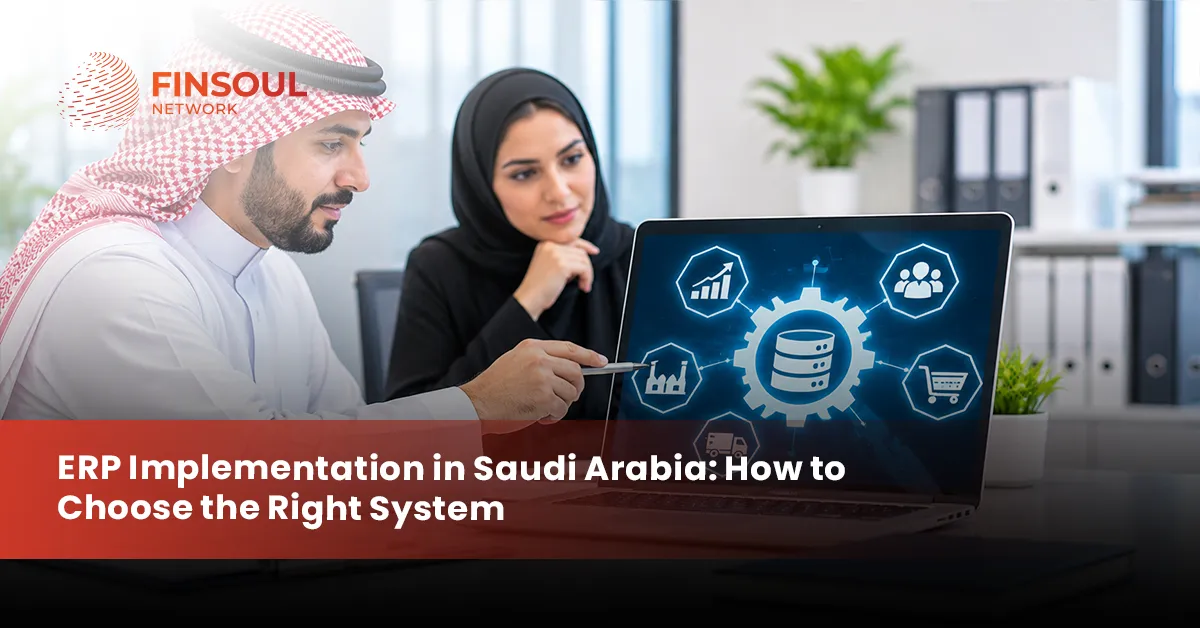
A disconnected finance system, inaccurate inventory records and delayed management reports can cost a Saudi business more than the price of replacing its software. They affect purchasing decisions, cash flow, customer service and the accuracy of financial reporting. As operations expand, spreadsheets and separate applications make it harder to maintain consistent information across departments.
ERP implementation in Saudi Arabia gives businesses a way to connect finance, procurement, inventory, sales, projects and other core operations through a central system. The value depends on choosing software that fits the company’s processes, supports Saudi regulatory requirements and delivers reliable information to decision-makers.
What Is ERP Implementation?
Enterprise Resource Planning (ERP) software connects business functions through a shared system and centralised data. Instead of maintaining separate records for accounting, purchasing, stock, sales and projects, employees work with information linked across the organisation.
When a sales team confirms an order, the ERP can update inventory, create the relevant financial entries and give the warehouse the information needed to fulfil the order. Finance teams gain visibility into receivables and revenue, while management can review sales performance and stock levels without waiting for separate reports.
ERP implementation services in KSA cover the work required to make this system operate effectively. It includes business process analysis, software selection, system configuration, data migration, integration, testing, staff training and ongoing support.
For a Saudi business, implementation also involves configuring the system for relevant local requirements, including VAT treatment, electronic invoicing, Arabic documentation and applicable payroll or sector-specific processes.
When Does a Saudi Business Need an ERP System?
ERP software becomes valuable when the limitations of existing systems start affecting daily operations or management decisions.
Financial Information Takes Too Long to Reconcile
Finance teams that combine figures from separate accounting tools, spreadsheets and departmental reports spend valuable time checking data instead of analysing performance.
An ERP connects transactions to the relevant financial records. Management can review income, expenses, receivables, payables and cash positions using consistent information. This also gives finance teams a more controlled process for closing reporting periods.
Inventory and Purchasing Lack Visibility
Businesses handling physical products need accurate information about stock availability, purchase orders, supplier deliveries and warehouse movements.
When inventory records are separate from sales and procurement, companies face stock discrepancies, unnecessary purchases and delays in fulfilling customer orders. An ERP connects these activities and helps teams monitor stock levels, reorder requirements and movement between locations.
Multiple Branches Operate on Separate Systems
Companies operating in Riyadh, Jeddah, Dammam or other locations need consistent processes and consolidated reporting. Separate branch systems create extra work for finance teams and make it difficult to compare performance.
A suitable ERP gives authorised teams access to shared business information while maintaining controls over branches, departments and legal entities.
Business Growth Has Outpaced Existing Software
Expansion brings more transactions, suppliers, employees, products and reporting requirements. Software that worked for a small operation can become restrictive when the business adds warehouses, service lines or new locations.
An ERP gives the company a structured platform for managing that complexity. The system must match the business’s current needs while allowing room for future modules, users and integrations.
How to Choose an ERP System in Saudi Arabia
The selection process needs to start with business requirements, not vendor presentations. A long list of features means little if the system cannot handle the workflows that matter to the company.
1. Define Your Business Requirements
Identify the problems the ERP must solve before comparing products. Gather input from finance, procurement, sales, operations, HR and senior management.
For example, a distributor may prioritise inventory accuracy, purchase planning and sales order processing. A construction company may need project costing, contract tracking, equipment management and reporting by project. A professional services firm may focus on project budgets, staff utilisation, timesheets and client billing.
Document each requirement with a clear business outcome. Instead of asking for a generic inventory module, specify the need to track stock across warehouses, record batch details, manage transfers and reconcile physical counts.
2. Check Saudi Regulatory Requirements
Local compliance needs to be part of ERP selection from the beginning. Businesses need to confirm how the system handles the requirements relevant to their activities and reporting obligations.
For VAT-registered businesses, this includes appropriate VAT codes, tax calculations, credit and debit notes, tax reporting and supporting records. The system must also support the applicable ZATCA electronic invoicing requirements.
ZATCA’s e-invoicing framework has two phases. Phase One covers invoice generation, while Phase Two requires targeted taxpayers to integrate their electronic invoicing solutions with the Fatoora platform. The integration phase is being introduced in waves, with ZATCA notifying affected taxpayers of their applicable integration dates.
A vendor’s claim that its software is “Saudi compliant” is not enough. Ask the provider to demonstrate how the proposed configuration generates the required invoice formats, handles clearance or reporting as applicable, and manages system responses and failed submissions.
3. Evaluate Core ERP Modules
The right ERP modules depend on the company’s operating model. Paying for functionality the business will not use adds cost and complexity, while omitting essential capabilities creates reliance on separate applications.
| ERP module | Business value |
| Finance and accounting | Manages general ledger, payables, receivables, budgets and financial reporting. |
| Procurement | Controls purchase requests, supplier records, approvals and purchase orders. |
| Inventory and warehousing | Tracks stock, transfers, receipts, dispatches and stock valuation. |
| Sales and customer management | Connects quotations, sales orders, invoicing and customer records. |
| Project management | Tracks project costs, budgets, resources, milestones and profitability. |
| Human resources and payroll | Supports employee records, leave, payroll workflows and related reporting where required. |
| Manufacturing | Manages production orders, bills of materials, material requirements and production costs. |
| Business intelligence | Provides dashboards and reports for financial and operational decisions. |
Evaluate each module against actual workflows. A live demonstration using realistic business scenarios reveals more than a general presentation of the software’s capabilities.
4. Compare Cloud ERP and On-Premises ERP
Cloud and on-premises ERP systems offer different approaches to hosting, maintenance, access and infrastructure management.
Cloud ERP runs on infrastructure managed by the software provider or hosting partner. It can reduce the need for internal server administration and support access across locations. The company still needs to assess subscription costs, service availability, access controls, data handling, integration options and contractual terms.
On-premises ERP runs on infrastructure controlled by the business or its chosen hosting arrangement. It can provide greater control over certain technical decisions but places more responsibility on the organisation for infrastructure, upgrades, security and maintenance.
Neither option is automatically the better choice. The decision depends on the company’s IT resources, security requirements, operational structure, budget and long-term plans.
Ask each vendor to explain its hosting model, backup arrangements, disaster recovery process, update policy and service-level commitments. Confirm how the business can retrieve its data if it changes providers.
5. Assess Integration Capabilities
An ERP rarely operates in isolation. Businesses may need connections with e-commerce platforms, point-of-sale systems, payment gateways, banks, warehouse tools, CRM software and electronic invoicing solutions.
Before selecting a platform, identify the systems that must exchange data and establish how those connections will work. Ask vendors to demonstrate available APIs, supported connectors, integration costs and responsibility for maintaining each connection.
Integration requirements also affect cost and delivery time. Identifying them during selection prevents important dependencies from emerging after the contract is signed.
ERP Implementation Requirements for Saudi Businesses
A successful implementation combines the right software with accurate data, clear responsibilities and processes that reflect how the company operates.
ZATCA E-Invoicing and VAT Configuration
Saudi businesses need to verify that the selected solution supports the applicable ZATCA requirements. This includes invoice generation, relevant invoice fields, credit and debit notes, required security features and Phase Two integration where applicable.
ZATCA maintains an indicative directory of e-invoicing solution providers. However, the Authority states that businesses can use any solution provider as long as the solution meets the applicable requirements; inclusion in the directory is not a substitute for checking the actual solution and implementation.
VAT configuration also deserves attention. Incorrect tax codes, transaction classifications or invoice data can affect reporting and create reconciliation problems. Finance teams need to validate the configuration against the company’s actual transactions and applicable tax treatment.
Arabic and English Language Support
Businesses operating in Saudi Arabia may need Arabic and English documents, interfaces and reports. Confirm which elements the ERP supports in each language rather than relying on a general bilingual capability claim.
Check customer and supplier documents, invoice layouts, printed reports, search functions and user access. Arabic presentation also needs appropriate right-to-left formatting where required.
Payroll and Workforce Processes
Companies that want HR or payroll functionality within their ERP need to assess the requirements relevant to their workforce and operating model.
These can include employee records, salary calculations, leave management, payroll approvals, employee cost allocation and reporting. Where applicable, businesses also need to consider integrations and processes associated with GOSI, the Wage Protection System and relevant employment administration platforms.
The selected system must support the actual payroll workflow and the company’s reporting responsibilities. A generic HR module does not automatically meet every Saudi payroll or employment-related requirement.
Data Security and Access Controls
ERP systems hold commercially sensitive information, including financial transactions, supplier pricing, customer details, employee records and management reports.
Businesses need role-based access, appropriate approval controls, audit trails, backup procedures and a clear process for reviewing user permissions. Staff should only access the information needed for their responsibilities.
Companies should also assess applicable Saudi data protection and cybersecurity requirements, particularly where personal data, cloud hosting or external integrations are involved. The implementation team needs to establish who controls the data, where it is processed and how incidents, backups and access changes are managed.
How Much Does ERP Implementation Cost in Saudi Arabia?
ERP implementation costs vary according to the software, number of users, modules, customisation, integrations, data quality and level of support required. A small company implementing core accounting and inventory functions will have a different budget from a multi-entity business deploying finance, procurement, manufacturing and project management.
The initial licence or subscription price represents only part of the investment. Businesses also need to budget for:
- Business analysis and process mapping.
- Software licences or subscriptions.
- System configuration and custom development.
- Data cleansing and migration.
- Integration with existing systems.
- Testing and regulatory configuration.
- Employee training and change management.
- Ongoing support, upgrades and maintenance.
Ask vendors to provide a detailed cost breakdown and a multi-year total cost of ownership. Confirm whether the proposal includes support after launch, additional user fees, storage, integration maintenance and future upgrades.
A lower initial quote can become more expensive when essential functions require custom development or when the provider charges separately for routine support. A transparent proposal makes it easier to compare the true cost of each option.
Common ERP Implementation Mistakes
Choosing Software Before Mapping Processes
Selecting a system based on a popular brand or impressive demonstration can lead to a poor fit. The company then spends time and money forcing existing processes into unsuitable workflows or building expensive customisations.
Map the required processes first. Ask each shortlisted vendor to demonstrate how its proposed configuration handles those specific requirements.
Ignoring Data Quality
Migrating inaccurate customer records, duplicate suppliers, inconsistent stock codes or incomplete financial balances transfers existing problems into the new system.
Before migration, establish data ownership, remove duplicates, standardise formats and reconcile opening balances. Business users need to validate the migrated records before go-live.
Over-Customising the ERP
Custom development can address genuine business requirements, but excessive customisation increases cost, testing effort and upgrade complexity.
Use standard functionality where it meets the business need. Approve customisation only when a clear operational or regulatory requirement justifies the additional investment.
Underestimating Staff Training
An ERP changes how employees enter transactions, request approvals, manage stock and prepare reports. If users do not understand the new process, they may return to spreadsheets or create workarounds that weaken data quality.
Provide role-specific training before launch and ensure staff have access to practical instructions and support. Managers also need to reinforce the new workflows after implementation.
Treating Go-Live as the Finish Line
The first day of live operation is the start of a new operating environment, not the end of the project. Businesses need to monitor errors, user adoption, transaction accuracy and system performance.
A defined post-launch support period gives employees a route for resolving issues and helps the implementation team prioritise improvements.
A Practical ERP Implementation Roadmap
A structured roadmap gives management control over scope, budget, responsibilities and delivery.
Phase 1: Requirements and planning. Document business processes, compliance needs, reporting priorities, integration requirements and project objectives. Agree on the implementation scope and success measures.
Phase 2: System selection. Compare shortlisted ERP systems against the approved requirements. Run practical demonstrations, assess the vendor’s implementation experience and review the full commercial proposal.
Phase 3: Configuration and migration. Configure modules, approval workflows, tax settings and user roles. Clean and migrate the required data, then validate balances and master records.
Phase 4: Integration and testing. Test the ERP with connected systems and realistic business scenarios. Resolve issues involving invoices, stock movements, financial entries, approvals and reporting before launch.
Phase 5: Training and go-live. Train users by role, confirm readiness and agree on the transition plan. Ensure support teams can resolve issues during the initial operating period.
Phase 6: Performance review. Compare system performance with the original objectives. Review reporting speed, transaction accuracy, manual work, user adoption and outstanding improvement requirements.
The project timeline depends on business size, implementation scope, data quality, integrations and customisation. A focused implementation can be completed more quickly than a multi-entity deployment involving complex processes.
How Finsoul Network KSA Supports ERP Implementation
Choosing an ERP system requires coordination between business leaders, finance teams, operational departments and technology providers. Finsoul Network KSA helps businesses approach the process with defined requirements and commercial priorities.
Our support can include:
- ERP requirements assessment: Identifying operational gaps, reporting needs and essential system capabilities.
- Software selection support: Comparing proposed solutions against business requirements, local compliance needs and budget.
- Process review: Mapping finance, purchasing, inventory and other workflows before implementation.
- Implementation planning: Defining scope, responsibilities, data migration priorities, testing and rollout activities.
- Compliance readiness: Reviewing relevant VAT, e-invoicing and reporting requirements that need to be reflected in the system configuration.
- Post-implementation review: Assessing whether the system meets the agreed business objectives and identifying areas for improvement.
Frequently Asked Questions
What is ERP implementation in Saudi Arabia?
ERP implementation involves selecting, configuring and deploying enterprise software to connect core business functions. In Saudi Arabia, the project also needs to account for applicable local requirements, including VAT, ZATCA e-invoicing, Arabic-language needs and relevant payroll or industry processes.
How do I choose the right ERP system in Saudi Arabia?
Start by documenting business requirements, regulatory needs and integration priorities. Compare systems against those requirements, request practical demonstrations, evaluate vendor experience and calculate the total cost of ownership before making a decision.
Does an ERP system need to be ZATCA-compliant?
Businesses subject to Saudi e-invoicing rules need a solution that meets the applicable ZATCA requirements. For taxpayers included in Phase Two, the solution must support the required integration with the Fatoora platform. Confirm the software’s capabilities and the implementation scope before signing a contract.
How long does ERP implementation take?
The timeline depends on the company’s size, number of modules, data quality, integrations and customisation. A limited implementation takes less time than a complex deployment across multiple entities or locations. A realistic project plan needs to account for testing, training and post-launch support.
What is the cost of ERP implementation in Saudi Arabia?
Costs depend on licences, users, modules, configuration, integrations, data migration, training and ongoing support. Businesses need a detailed proposal covering the full implementation and multi-year ownership costs rather than comparing software prices alone.
Is cloud ERP better than on-premises ERP?
Neither model is automatically better for every business. Cloud ERP can reduce infrastructure management, while on-premises ERP gives the organisation greater control over its hosting environment. The right option depends on the company’s IT resources, security needs, budget and operating model.
Can an ERP system support VAT and electronic invoicing in Saudi Arabia?
Yes, provided the selected system and its configuration support the applicable requirements. Businesses need to verify tax calculations, invoice formats, credit and debit notes, required data fields and Phase Two integration where applicable.
Which industries benefit from ERP software in KSA?
Manufacturing, construction, retail, wholesale distribution, logistics, professional services and other transaction-intensive businesses can benefit from ERP. The value depends on the company’s need to connect financial information with operational processes, inventory, projects or customer activity.